
InstaService: Home Services
InstaServiceHouse & Home
4.532.00 Reviews
- Version
- 1.1.2
- Installs
- 10.00K
- Age Rating
- Everyone
Screenshots
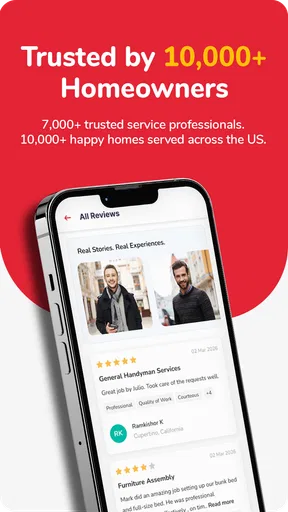
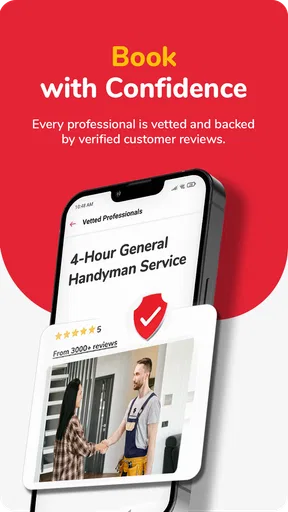


Our Review of InstaService: Home Services
 Analysis by Appyee
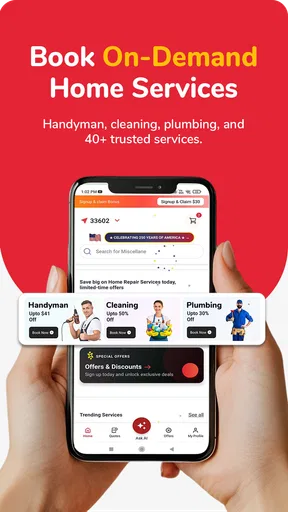
When something at home breaks, the hardest part is often not the repair itself but finding a person who is available, suitable for the job, and close enough to make the visit practical. InstaService: Home Services is built around that everyday problem. It is a free House & Home app from InstaService that helps me look for nearby help with jobs such as repairs, plumbing, cleaning, and other household tasks. I see it as a useful starting point when I want to organize a service request from my phone instead of searching through scattered contacts or general web results.
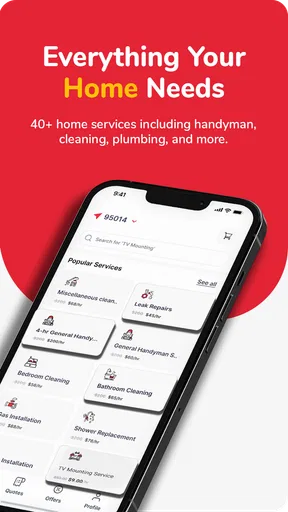
My first impression is that the app makes the most sense for people who want a focused place for home-service needs. It is not trying to be a general marketplace for every kind of local business. Its purpose is narrower, and that is a strength when I already know that I need a handyman, a cleaner, or a plumber. The experience is easier to understand when I approach it with a specific task in mind rather than opening it casually and expecting it to solve every part of a home-maintenance decision.
How I use InstaService for a normal household request
The baseline workflow is straightforward: I open the app, identify the type of help I need, and look for a suitable service near me. That sounds simple, but the quality of the result still depends on how clearly I describe the job and how realistic I am about what I need from the person I contact. A vague request such as “fix the bathroom” is much less useful than explaining whether the problem involves a leaking pipe, a blocked drain, a loose fitting, or several separate issues.
I recommend preparing the important details before starting. I think about the location, the room involved, the visible symptoms, and whether the work is urgent or can wait. If the app allows me to communicate a request, those details give the service provider a better starting point. Even when the platform helps me find someone nearby, it cannot replace a clear description of the actual task.
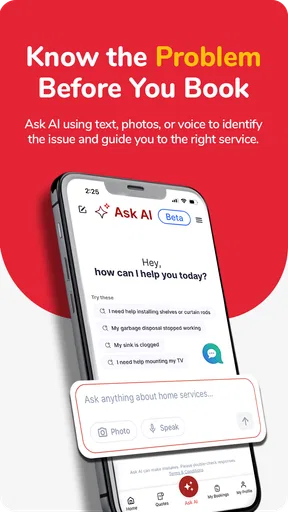
A realistic example is a slow kitchen drain that becomes worse after a busy weekend. I would use the app to search for plumbing help, describe that water is draining slowly rather than claiming that the pipe is completely blocked, and mention whether there is any leakage under the sink. I would also have a few photos ready if the contact process supports them. This habit reduces back-and-forth and helps me avoid booking a general visit when the issue may require a more specific skill.
For cleaning, my approach is different. I would decide whether I need a one-time visit, help with a particular room, or assistance with a larger household reset. The app is more useful when I define the outcome in advance: floors and bathrooms, a move-related cleanup, or help after a small home project. That makes it easier to judge whether a provider is appropriate instead of choosing only because the listing appears nearby.
The same principle applies to handyman work. I would separate a simple installation from a job that may involve electrical, gas, structural, or specialist knowledge. A loose cabinet handle and a complicated wall-mounted installation should not be treated as the same request. The most effective workflow starts with matching the job to the right service category, not merely finding the closest person.
What I check before contacting anyone
Distance is useful, but it is not the only practical consideration. I pay attention to whether the service appears relevant to the exact job, whether the description is clear, and whether the person seems equipped for the task. A nearby provider who handles cleaning may not be a sensible choice for a plumbing problem, even if the location is convenient.
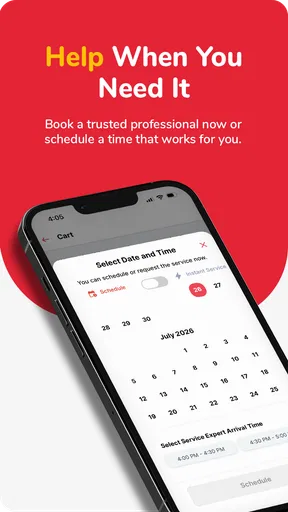
I also keep my expectations realistic about scheduling. A service app can make discovery easier, but availability, arrival time, scope, and final cost still need to be clarified directly when the app does not make those points obvious. I would ask what is included, whether materials are separate, and whether the visit is for diagnosis or completion. Those questions are especially important for repairs, where the visible problem may not be the real source.
Another useful habit is to keep the request narrow at first. If I have several unrelated jobs, I would list them separately or explain them as distinct tasks rather than writing one long paragraph. This makes it easier for a provider to decide whether they can handle everything and prevents a small request from becoming confusing.
Settings and phone habits worth checking
There are no complicated settings I need to master before using InstaService. I would begin by checking the app’s access to location and deciding whether I want to provide my position while using it. Since the service is centered on finding help near me, location can make the search more convenient, but I still prefer to review what the phone is sharing and use a manually entered area when that is more comfortable.
I also check notification behavior. Service requests can involve replies or changes in timing, so completely silencing every alert may make the process less convenient. At the same time, I do not want every app notification to interrupt my day. A sensible compromise is to allow useful service-related notices and disable anything that feels unnecessary through the phone’s notification controls.
Before sending a request, I make sure the app is updated. The current version is 1.1.2, and keeping an app current is a simple way to avoid using an older build when a newer one is available. The application supports Android 7.0 and later, which is helpful for people using older phones who would otherwise be excluded by newer software requirements.
I would also review the app’s language and location context if those options are visible on my device. Local service searches are only helpful when the area is correct. If I recently traveled, moved, or changed phone settings, I would verify the selected location instead of assuming that nearby results still refer to my home.
Repeatable shortcuts that save time
The fastest users are not necessarily the people who tap through the app most quickly. They are the people who prepare repeatable information. I keep a short note with my address details, access instructions, parking information, and any building restrictions that a provider may need. I do not paste sensitive information into every request automatically, but having it ready makes a confirmed booking easier to coordinate.
I also use a simple service-request template in my notes: the problem, where it is located, when it started, what I have already tried, and the preferred time window. This is particularly useful for recurring household issues. If a washing machine area has leaked before or a door repeatedly sticks, I can describe the pattern accurately instead of relying on memory while filling out a request.
Photos can be another practical shortcut when the communication flow supports them. I take one wider image to show the surrounding area and one closer image of the problem. For a leaking pipe, that might show both the cabinet layout and the connection where water appears. For a damaged wall, it can show the size and position of the damage. Images do not guarantee an accurate quote, but they can help a provider decide what tools or materials may be relevant.
For repeat cleaning, I would keep a stable checklist rather than rewriting the entire request each time. I can then adjust only what changes, such as an extra room or a particular area needing attention. This creates a more consistent result and makes it easier to compare future service experiences based on the same expectations.
One less obvious trade-off is that convenience can encourage rushed decisions. Because the app puts service discovery in front of me quickly, I might be tempted to choose the first nearby option. My shortcut is to pause and ask three questions: does this provider fit the task, have I explained the problem clearly, and have I confirmed the practical details? That short pause is more valuable than saving a few taps.
Where the app helps more than usual alternatives
The usual alternative is searching the web, asking neighbors, checking local social groups, or calling a contact saved months ago. Those methods can work, but they often spread the process across several places. InstaService gives me a more focused route for starting the search, which is useful when I do not already have a trusted professional for a particular job.
Compared with a general search engine, the app feels more relevant because its purpose is home services rather than every business in the area. Compared with a personal recommendation, however, it may not offer the same confidence that comes from someone I know having used the provider. That is why I see it as a discovery and organization tool, not an automatic substitute for judgment.
It is also useful when I have recently moved. A new resident may not know which local plumber or handyman is dependable, and asking around can take time. The app gives that person somewhere practical to begin. I would still check the service details and communicate carefully, but the first step is less frustrating than building a contact list from nothing.
For an urgent household problem, the advantage is speed of discovery. A broken fixture, sudden cleaning need, or small repair can be easier to organize from a phone than by making several calls. The limitation is that urgency should not make me skip safety checks. If the problem involves a serious water leak, electrical danger, gas, structural damage, or an unsafe environment, I would use the appropriate emergency or specialist route rather than assuming a general home-services search is enough.
Limits that become clearer with regular use
InstaService is not a replacement for knowing exactly what kind of professional a job requires. “Handyman” can cover many everyday tasks, but it should not be treated as a universal label for regulated or high-risk work. I would be cautious with anything involving major electrical changes, gas appliances, structural alterations, or work that requires formal certification. In those cases, a specialized provider or official local channel may be a better choice.
Another limitation is that proximity does not automatically mean availability. A nearby service may still be busy, outside my preferred schedule, or unsuitable for the size of the job. I would avoid promising myself that a problem is solved just because I found a listing. The real test is whether the provider confirms the request and understands the work involved.
Cost is another area where I stay careful. A search tool can help me find potential help, but I would not assume that the app itself establishes a final price for every task. Before agreeing, I would clarify labor, materials, call-out charges, and what happens if the initial inspection reveals a larger problem. This is especially important for plumbing and repairs, where the first visible symptom can lead to additional work.
I would also skip the app when I already have a trusted specialist and the job is sensitive, complex, or covered by a service agreement. A known professional may understand the history of my home and provide better continuity. InstaService is more compelling when I need to discover a suitable option, compare possible providers, or organize a routine task without an established contact.
Privacy deserves ordinary, practical attention. I would share only the information needed to arrange the service and avoid including unnecessary personal details in a request. If a photo shows documents, family information, or other private material in the background, I would crop it first. This is a small habit, but it matters when sending images from inside the home.
Who will get the most value from it
I think the app is a good fit for renters, homeowners, busy families, and people who have recently moved. It is also useful for someone managing a property from a distance, provided they can give clear access instructions and communicate with the person doing the work. The free price makes it easy to try without committing to a subscription, and the Everyone age rating keeps the app broadly accessible for household use.
Its audience is also reflected in its traction: the app has passed ten thousand installs, with an average rating of 4.5 from around a hundred ratings and a few dozen written reviews. I treat that as encouraging early interest rather than a guarantee that every local experience will be identical. Service quality depends heavily on the provider and the area, so I would still make my own decision after reviewing the available details.
I would be less enthusiastic about it for someone who wants a fully managed project from start to finish, detailed contractor verification, or a guaranteed fixed quote before any conversation. Those expectations require a more specialized platform or a direct relationship with a professional. I would also not recommend relying on it alone for emergencies or technical work where the wrong category could create a safety problem.
My verdict after building a reliable routine
InstaService: Home Services works best when I use it deliberately: choose the right category, describe the task precisely, check the location, and confirm the practical details before accepting help. Its biggest benefit is reducing the friction of finding a nearby option for ordinary home needs. It does not remove the need to ask questions, compare suitability, or use caution, but it gives me a focused starting point.
The developer, InstaService, has kept the idea easy to understand, and the app’s House & Home focus makes it more purposeful than a general local search. I like that it is free and compatible with Android 7.0 or later, especially for households using older devices. The version in use is 1.1.2, so I would keep an eye on updates and continue checking the app’s current behavior on my phone.
My final recommendation is positive for routine discovery: cleaning, everyday handyman work, plumbing inquiries, and similar household tasks where I need a local lead. I would combine it with clear notes, carefully chosen photos, and a short confirmation conversation. Use it as a practical first step, not as a substitute for checking qualifications, scope, price, or safety. With that mindset, it becomes a useful part of a repeatable home-maintenance routine rather than a one-tap promise that every problem will disappear.
For me, that balance is the reason to keep InstaService: Home Services installed. It is most valuable on the day I need help and do not already know whom to call, while remaining honest enough in practice that I still make the final decision myself.
Verdict
Strengths of InstaService: Home Services
- Conveniently request several types of home services from one app.
- Service categories make it easier to find the help you need.
- Booking from home saves time compared with calling multiple providers.
- Useful for arranging maintenance, cleaning, and other household tasks.
- Mobile access lets you manage service requests while away from home.
Limitations of InstaService: Home Services
- Service availability may vary depending on your location.
- Provider quality and punctuality can differ between bookings.
- Some services may require extra details before a final price is given.
- Response times can depend on the selected professional’s schedule.
- The app may be less useful in areas with few listed providers.
Similar Picks in This Category
View All
Universal TV Remote Control
CodeMatics Media Solutions3.9

AlfredCamera Home Security app
Alfred Systems Inc.4.7

Planner 5D: AI Home Design
Planner 5D4.5

Universal Tv Remote-Cast to TV
One Music Player4.1

Zillow: Homes for Sale & Rent
Zillow Group4.8

99acres Buy/Rent/Sell Property
infoedge.com4.3
Frequently Asked Questions
What is InstaService: Home Services, and what can I use it for?
InstaService: Home Services is designed to help users find and request assistance for everyday household needs through a mobile device. Depending on the services available in your location, you may be able to arrange cleaning, repairs, maintenance, beauty appointments, moving help, or other on-demand services. Before booking, review the provider details, service description, estimated price, and availability carefully.
Is InstaService: Home Services available in every city or country?
Availability may vary considerably depending on your location. The app generally relies on local professionals or service companies, so the number and type of listings can differ between cities. After installing it, allow location access if requested or enter your address manually to check whether providers operate in your area. If no results appear, the service may not yet cover your neighborhood.
How do I book a service through InstaService: Home Services?
To make a booking, you typically select a service category, provide information about the task, choose a preferred date and time, and compare available professionals. Some requests may require photos, measurements, access instructions, or additional notes. Check the final summary before confirming, including the address, estimated cost, cancellation terms, and any extra fees that could be added after the provider assesses the job.
How much do services cost, and are payments made inside the app?
Pricing depends on the service type, location, provider, duration, materials, and complexity of the work. Some listings may show a fixed price, while others provide an estimate and calculate the final amount after inspection or completion. Payment options can vary by region and provider, so review the checkout screen and the app’s policies to understand accepted methods, taxes, deposits, and possible cancellation charges.
Can I trust the professionals listed on InstaService: Home Services?
The app may provide profiles, ratings, reviews, descriptions, and other information to help you evaluate a professional, but users should still make their own checks before allowing anyone into their home. Look at recent feedback, confirm the provider’s identity and appointment details, and communicate through the platform when possible. For expensive or sensitive work, ask about qualifications, insurance, guarantees, and written pricing before approving the job.
